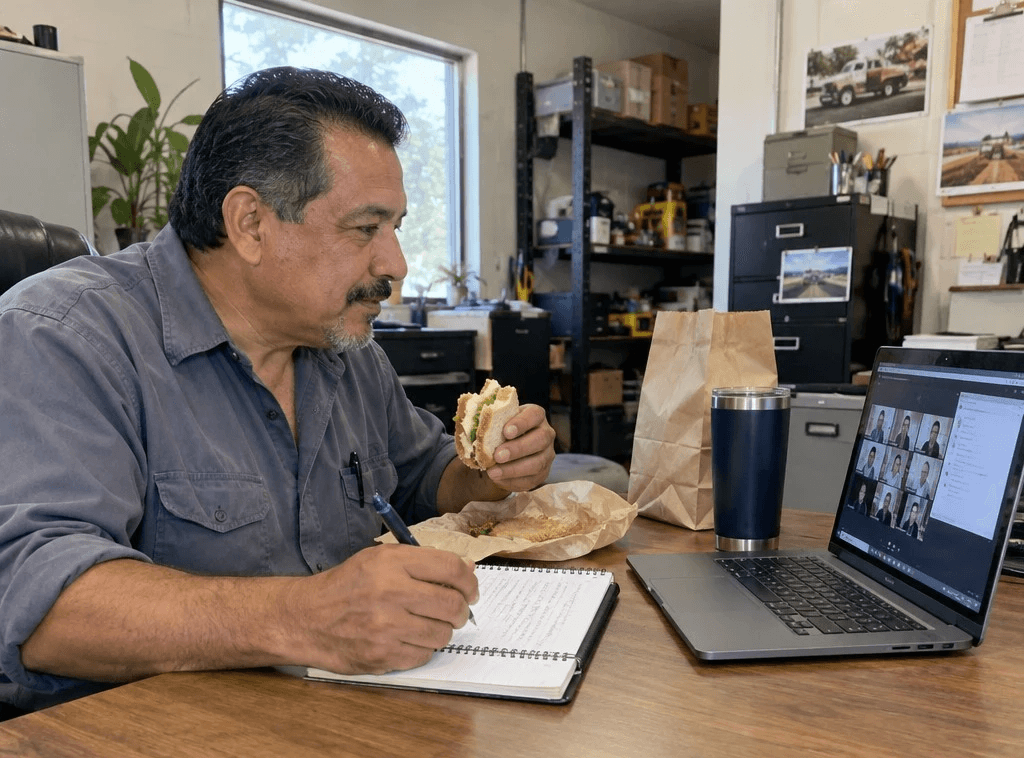
A room of Missouri small business owners spent their lunch hour yesterday hiring a new employee. No interview. No payroll. No desk.
That was the premise of Workshop 3, AI Made Simple: Your New Free Employee. Garrett Duncan, a software engineer at Codefi, set out to take one task people repeat every week and hand it to AI for good — built live, on the call, in under 45 minutes.
Here's the short version for anyone who couldn't make it.
The Four Pillars Still Do the Heavy Lifting
Garrett opened by pointing back to Workshop 1: role, task, context, format. The same brief you'd hand a new hire.
Give AI the role of a marketing agent and it reads the work through a marketing lens. Hand it the notes from Monday's meeting as context. Make the task a week of ads. Spell out the format. Now the output is aimed at something.
The catch: typing all four pillars every Monday is still work. The rest of the hour was about making that brief run without you.
Step 1: Give It Something to Read
An employee can't work without information. Garrett's first tip was a meeting notetaker — Fireflies, Gemini notes in Google Meet, whatever your team already runs.
Every meeting becomes a transcript. Every transcript becomes material AI can act on. That includes this workshop: drop the transcript into your AI tool and ask how it applies to your job.
Step 2: Connect It to Where Your Work Lives
This is the part Garrett says most people sleep on. Connectors link your AI tool to Google Drive, Gmail, Slack, GitHub, QuickBooks — wherever your work already sits.
Without them, you download the file, upload the file and point at the file. With them, you say "scan my Drive for this morning's meeting notes" and it goes and gets them.
Step 3: Put It on a Schedule
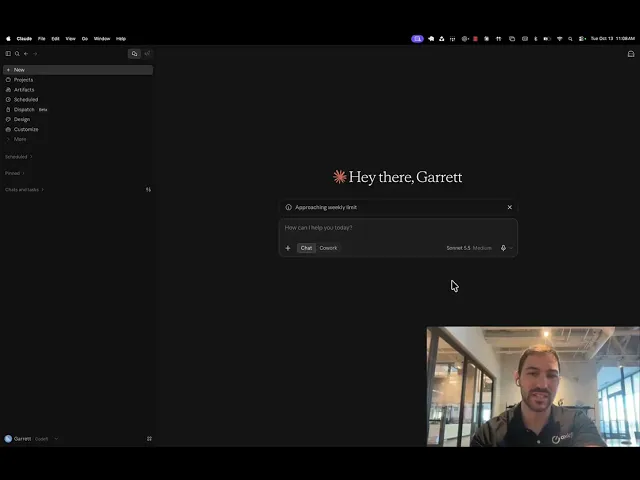
Garrett built the demo in Claude Cowork, typed in plain English:
A marketing meeting happens every Monday at 8 AM.
At 9:30 AM, once the notetaker has processed, a scheduled task runs.
It scans Google Drive for the meeting notes.
It drafts the marketing materials discussed, styled with a branding skill built in Workshop 2.
It reports back in Slack with the order of operations for getting them out.
When he asked the AI to set it up from the chat, it said it couldn't. So he asked where to set it up and what to paste. It gave him the exact path — Scheduled, New task, Set up manually — and the prompt to drop in. He set it to run weekdays at 9 AM, so it catches any marketing meeting and skips the days without one.
Then he tested it on a mock transcript: five AI ads and when to post each this week. Anthropic's new Haiku model came back in seconds with five on-brand ads and a posting schedule. The copy held up. The images didn't — more on that below.
The Four-Hour Chat Is the Job Description
Here's the idea worth writing down.
You know the conversation. Four hours of back-and-forth with AI and your boss until the deliverable is right. Next week, you either repeat the four hours or settle for the two-hour version.
Garrett's answer: go back to that chat and say, "Let's make this a scheduled task." The four hours become the instructions. The output stays consistent week after week, and you only step in when something changes — new data, a new funder, a new boss.
Look at every task in your week and ask: where have I already done this with AI? That's your first hire.
A Scheduled Task Isn't Done When You Save It
Review what comes back. In the demo, the ad images were weak. Garrett's read: Claude is strong at deep thinking and weak at images, where ChatGPT and Gemini do better.
So you ask the AI what to do about it. It might point you to a new tool, a new skill, or an open-source project — Garrett uses HyperFrames for video. Add it to the task and run it again. Keep going until the result is one you'd hand over.
Same with brand. Drop in your website or a document you love, ask it to build a branding skill, and attach that skill to your scheduled tasks. A colleague of Garrett's did exactly that with a client's site and got a slide deck that looked built from the website itself.
Match the Model to the Job
Garrett ran the whole demo on Haiku on purpose. Recurring tasks rarely need the biggest model.
He pulled up the Artificial Analysis Intelligence Index to show the tradeoff. Bigger models think harder and score higher, but they cost more and run slower. The new Haiku scored in the same range as models that topped the chart a few months ago — at about a nickel per task.
His rule of thumb: if you're always well under your usage limits, bump the model up. If it's too slow, bump it down. And for a task you can't afford to get wrong, set its model inside the scheduled task instead of leaving it on default.
The Part Everyone Should Write Down
One attendee asked the question everyone should: what about security? Garrett's answer:
Turn off data sharing in your AI tool's settings.
Never paste anything you wouldn't hand a stranger — Social Security numbers, credit card numbers, API keys.
Your industry's rules still apply. Finance rules don't stop at the chat window.
Sanitize sensitive data with a third-party tool before it goes in.
For high-security work, local models through Ollama keep everything on your own computer — though Garrett says they aren't quite there yet.
And when in doubt, ask the AI itself, using the four pillars. Tell it your role and what you do, then ask how to get a good result without putting your company, yourself or your clients at risk.
What's Next: November 10
Workshop 4, Holiday Hustle — Let AI Help You Survive Your Busiest Season, closes out the series on Tuesday, November 10, 12–1 PM CT.
Between now and then, pick one recurring task. Find the chat where you already did it well. Turn it into a scheduled task — and bring what breaks.
Registration is open now through the Show-Me Network events calendar. If you're already registered for the series, you'll get a reminder — no action needed.
Access is sponsored by Show-Me Network, in partnership with Codefi.
Register now → https://codefiworks.com/campaigns/show-me-network-small-business-training-series
One Task Handed Off. Workshop 4 Is Next.
Workshop 3 showed you how to hand off the work you repeat. Workshop 4 closes out the series on November 10. No tech background required, and no cost to attend. Seats are open now on the Show-Me Network events calendar.
Register for Workshop 4 — November 10
Learn fast. Build right. Gain traction.