
A class full of people gave up their lunch hour yesterday to find out whether AI is actually useful for a small business or just something people talk about at conferences.
We told them up front what the hour was for. Not a survey of the field. Not a forecast. Three things they could hold in their hands by 1:00 PM: one tool set up on their phone, one prompt written down that they could run again next week, and three drafts of real work.
That's what happened. Here's the short version for anyone who couldn't make it — and the part that matters most if you plan to join us September 8.
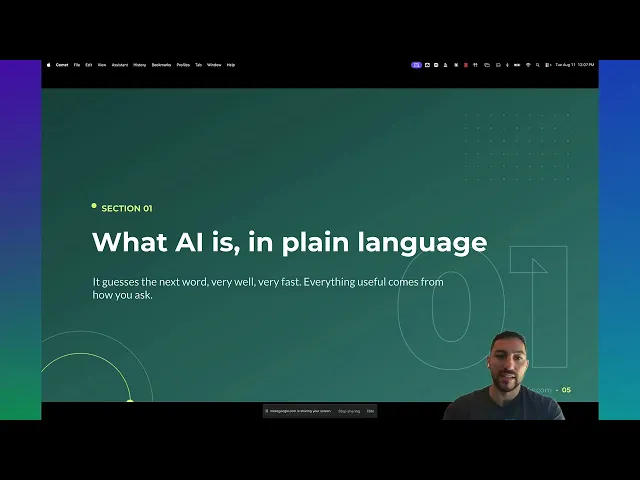
Most People Are Using AI Like a Search Bar
Garrett Duncan led the session, and he opened with the thing that trips up almost everyone.
You type a question. You get back something that reads fine and helps nobody. So you decide the tool doesn't work for your business and you go back to writing your own product descriptions at 10 PM.
The tool works. The brief was bad.
Garrett's framing was blunt: a prompt is a job brief, not a search. Bad brief in, bad draft out — same as a new hire on day one. If you handed a new employee a sticky note that said "write something for social," you'd expect exactly what you got.
The Four Pillars
The whole hour turned on four components. Miss one and the output goes generic.
Role — Who is doing this job? "You are a retail copywriter for a small shop."
Task — What exactly are you producing? "Write a 100-word product description."
Context — What does the worker need to know? Price, materials, who buys it, what they ask about before they buy.
Format — What should it look like coming back? "Give me three options. Short sentences. No emojis."
Garrett ran it live on a question about housing market interest rates and got back a structured answer with a numerical score attached, out of a single prompt. Not because the model got smarter. Because the brief told it what the finished work looked like.
Write yours down once. Reuse it every week. That's the difference between a party trick and a process.
Five Tools, Set Up Before Lunch Was Over
Nobody in the room needed to buy anything. The no-cost tiers do real work:
ChatGPT — writing, rewriting, brainstorming
Claude — long documents and careful editing
Gemini — sits inside Gmail and Google Docs
Microsoft Copilot — already built into Windows and Edge
Claude Design — turns a line of text into a finished post graphic
Garrett's honest read on which to pick: they mostly look the same, but they aren't. Claude for analytical work and development. ChatGPT for general writing and brainstorming. Gemini for images and video. Copilot if your day already lives in Microsoft Office. When an attendee asked which one to point at subcontractor bids, the answer was Claude — anything with numbers in it.
One nuance worth carrying home: most of these tools let you toggle a deeper "thinking" mode. Slower response, better analysis. If the answer looks thin, that switch is usually the reason.
Where It Stopped Being a Demo
The second half is where the room got quiet.
Garrett showed skills — prompt logic and context saved once, then reused, so you stop re-explaining your business every time you open a chat window. He used one to build a branded slide deck with almost no manual work. Same idea for a video workflow in Camtasia. Build the skill once; the AI does consistent work after that.
Then connectors. Open the customize menu, switch on Microsoft 365, your calendar, Gmail, Drive. Now you can ask what you missed and what you haven't answered yet, and get a real answer instead of scrolling. (If you're on a business account, your admin may need to approve access first — worth asking before the next session.)
Then scheduled tasks. Daily, weekly, monthly. The report you assemble every Monday morning can assemble itself.
And Claude Design, which drew the most questions of the day. Garrett built a flyer for a loan officer live on the call — generated the prompt, refined it in the interface, edited the output, switched models to sharpen it. One attendee asked whether they still need Canva. The honest answer was: maybe not for long. Another asked about commercial print specs, which Garrett flagged as outside his lane — but with the printer named and the specs supplied, the tool can check its own work against them.
The Part Everyone Should Write Down
We spent real time on privacy, and I want to repeat it here.
Do not paste credit card numbers, Social Security numbers, or API keys into an AI tool. Read the privacy rules for the specific platform you've chosen — they are not all the same. Sanitize anything proprietary or confidential before it goes in a prompt.
That's not a reason to stay off these tools. It's the discipline that lets you use them on real work instead of only the safe stuff.
What's Next: September 8
Workshop 1 was the on-ramp. Anyone at any level could follow it, which was the point.
September 8 takes the four pillars and points them at marketing specifically — the work most small business owners are doing last, late, and alone. Product descriptions. Social posts. Promotion angles. Email that doesn't sound like a template. Workshop 1 showed you that a good brief produces usable copy; Workshop 2 is where you build the briefs for the jobs you actually repeat every week.
Four weeks out. Enough time to write one prompt down and run it a few times before you get there — bring what breaks.
Registration is open now through the Show-Me Network events calendar. If you're already registered for the series, you'll get a reminder — no action needed. If you know a business owner who should have been in yesterday's room, send them the link.
Access is sponsored by Show-Me Network, in partnership with codefi.
Register now → https://codefiworks.com/campaigns/show-me-network-small-business-training-series
Missed Workshop 1? Watch the full recording before September 8 — the four pillars carry straight into the next session.
Learn fast. Build right. Gain traction.
Workshop 1 covered the framework. Workshop 2 covers the build. No tech background required, and no cost to attend. Seats are open now on the Show-Me Network events calendar.